
Download DéjàClick – Super‑Bookmarks, Automated Firefox Routines & Time‑Saving Tool
If you spend every morning opening the same set of web pages, logging into multiple services and clicking through a predictable workflow, you already know how much time is eaten by repetitive actions. DéjàClick transforms that routine into a single, replayable macro that lives right inside Firefox. By recording your clicks, form entries and navigation steps, the add‑on can replay the exact sequence on demand, saving minutes—or even hours—over the course of a week. In this review we’ll explore how DéjàClick works, which features set it apart, how to install and configure it, and whether the convenience outweighs the slightly uncanny feeling of watching your browser act on autopilot.
Overview – How DéjàClick Turns Repetition into Automation
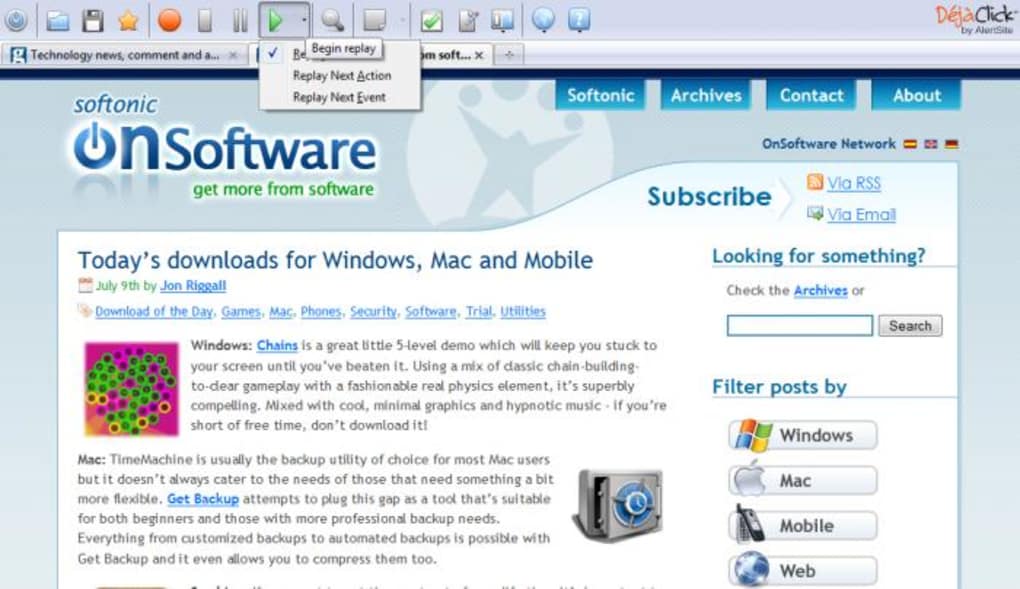
DéjàClick is a Firefox extension designed to create “super‑bookmarks.” Unlike traditional bookmarks that only store a URL, DéjàClick records an entire browsing session: the pages you open, the form fields you fill, the passwords you type, and the clicks you make. The recording is saved in an encrypted, password‑protected file, ensuring that sensitive data such as login credentials remain secure. When you need to start your day, a single click on the DéjàClick toolbar button plays back the routine at the exact speed it was recorded, reproducing every keystroke and mouse movement. This visual playback can be sped up in the options menu, though the extension deliberately avoids skipping straight to the final destination pages, preserving the natural flow of the original session.
The core value proposition of DéjàClick is time savings. Imagine a workflow where you log into your email, a project management board, a cloud storage service, and a news aggregator. Manually performing each step can take two to three minutes.
Recorded with DéjàClick, the same routine can be replayed in under a minute, freeing you for more important tasks. The add‑on also supports multiple recordings, allowing you to maintain separate macros for work, personal browsing, or research projects. Because the playback occurs in real‑time, you can visually verify that everything loads correctly, and you have the option to pause or abort the macro if something goes wrong.
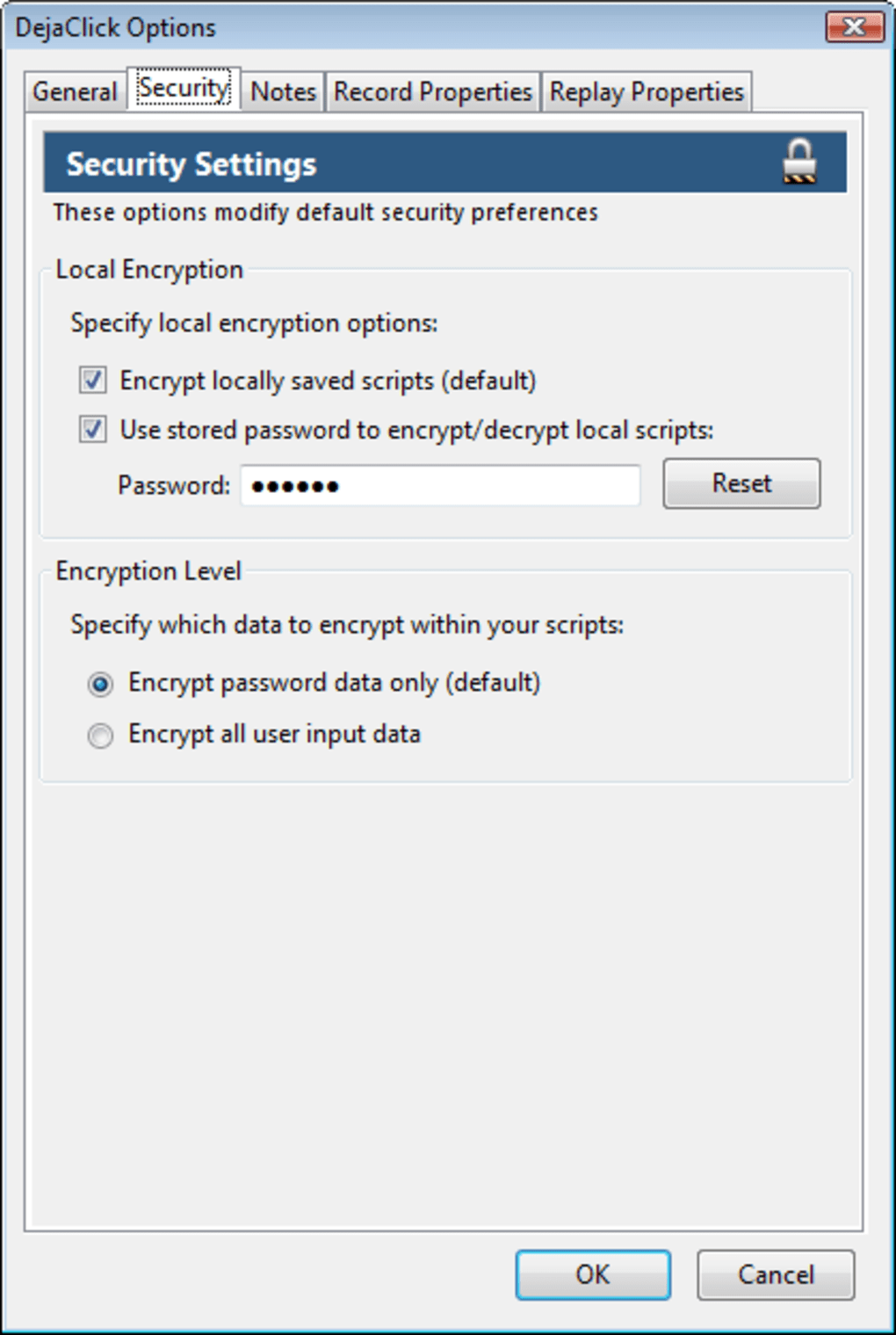
Security is built into the design. All recordings are encrypted using AES‑256, and the password you set is never stored locally or transmitted. When you first launch DéjàClick, you’ll encounter a series of permission prompts—these are required to access your browsing history, tabs, and form data. After the initial setup, the prompts disappear, and the extension runs silently in the background. While the visual playback may feel a little “robotic,” the experience becomes smoother with each use, and many users report a noticeable reduction in daily startup time.
Key Features of DéjàClick
- Full‑session recording – captures tabs, clicks, form entries, and passwords.
- Encrypted, password‑protected macro files ensure data privacy.
- Playback at recorded speed with optional acceleration for faster execution.
- Multiple macro support – create separate routines for work, personal, or research tasks.
- Cross‑platform compatibility with any Firefox installation on Windows, macOS, or Linux.
- Simple toolbar interface – one‑click record, stop, and play buttons.
- Customizable options – adjust playback speed, set default macro folder, and manage saved recordings.
- Automatic update notifications keep the extension secure and feature‑rich.
- Detailed log view – review each step of a recorded macro for troubleshooting.
- Open‑source core components allow community‑driven enhancements and audits.
Installation, Configuration & Compatibility
Getting DéjàClick up and running is straightforward. First, open Firefox and navigate to the official Mozilla Add‑Ons page. Search for “DéjàClick” and click the “Add to Firefox” button. Firefox will ask for permission to access your tabs, browsing history, and clipboard – these are essential for the macro recorder to function. After granting permission, the extension icon appears on the toolbar.
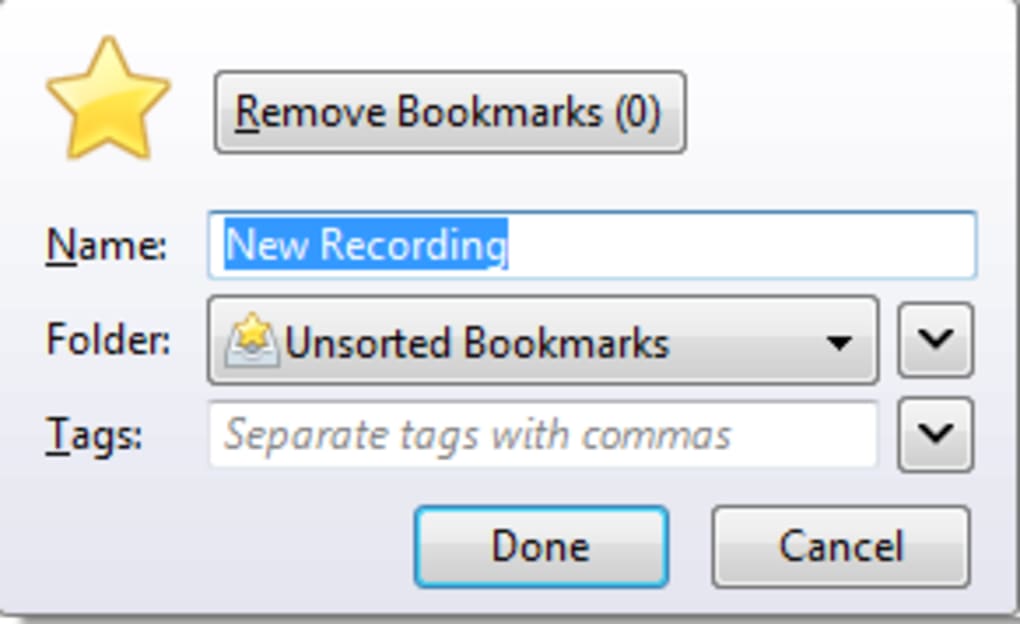
When you click the icon for the first time, DéjàClick prompts you to create a master password. This password encrypts all future recordings, so choose a strong, memorable phrase. Once set, you can start recording by pressing the red “Record” button, then reload your start page and perform your routine exactly as you would normally. When you’re finished, click the “Stop” button; DéjàClick will ask you to name the macro and optionally add a short description.
The extension runs on any operating system that supports Firefox 78 or newer, which includes Windows 10/11, macOS 10.15+ (Catalina and later), and most Linux distributions with a recent Firefox build. Because it is a browser‑level add‑on, there is no separate desktop client to install, and updates are delivered automatically through the Mozilla add‑on ecosystem. For users who sync Firefox across devices, macros can be exported and imported manually, allowing you to share a routine between a work PC and a home laptop.
Configuration options are accessible via the right‑click menu on the toolbar icon. Here you can adjust the playback speed (from 0.5× to 2×), set a default folder for saved macros, and enable or disable the “Show confirmation dialogs” feature, which reduces the initial barrage of permission pop‑ups after the first run. Advanced users can also view the raw JSON of a macro for fine‑tuning or debugging.
Pros, Cons, FAQ and Final Verdict
Pros
- Massive time savings for repetitive web workflows.
- Encryption protects sensitive login information.
- Intuitive toolbar UI makes recording and playback a single click.
- Works on all major operating systems supported by Firefox.
- Free to download with optional paid support for enterprise environments.
Cons
- Initial permission prompts can feel intrusive.
- Playback occurs at recorded speed, which may feel slow without manual acceleration.
- Macros are tied to the Firefox browser; they do not work in Chrome or Edge.
- Complex routines that rely on dynamic content may need occasional re‑recording.
- Visual playback can appear “unnatural,” which might unsettle some users.
Frequently Asked Questions
Is DéjàClick free or does it require a subscription?
DéjàClick is free to download and use for personal browsing. A paid “Pro” license is available for businesses that need centralized macro management and priority support.
Can I use DéjàClick on mobile Firefox for Android or iOS?
Currently DéjàClick is only available for the desktop version of Firefox. Mobile browsers do not support the required API for macro recording.
How secure is the encryption for saved macros?
Macros are encrypted with AES‑256 using the master password you set during the first launch. The password never leaves your machine, providing strong protection against local attacks.
What happens if a website changes its login form after I recorded a macro?
If a site updates its layout or form fields, the macro may fail at that step. DéjàClick will pause and display an error, allowing you to edit the macro or re‑record the affected portion.
Can I export my macros to share with a colleague?
Yes. Each macro is stored as an encrypted .json file in the extension’s folder. You can copy the file, share it securely, and your colleague can import it via the DéjàClick options menu.
Conclusion – Should You Download DéjàClick Today?
DéjàClick fills a niche that many power users have long desired: a reliable way to automate repetitive web tasks without leaving the comfort of Firefox. Its encryption model, straightforward UI, and cross‑platform support make it a trustworthy choice for anyone who logs into multiple services each day. While the initial permission dialogs and the “robotic” playback can feel odd, they quickly become background noise once the macro is saved and the workflow runs smoothly. If you spend even a few minutes each morning setting up your browser, the time saved over weeks and months will more than justify the short learning curve.
For freelancers juggling client portals, developers testing multiple dashboards, or anyone who simply wants a smoother start‑up routine, DéjàClick is a free, secure, and highly functional tool. Give it a try, record your first routine, and watch as those minutes add up to real productivity gains. Ready to automate your web life? Download DéjàClick now and let your browser do the heavy lifting.
DéjàClick delivers on its promise of time‑saving automation for Firefox users. The encryption is solid, the UI is intuitive, and the ability to store multiple macros makes it versatile. Minor annoyances like initial permission prompts and the “real‑time” playback speed keep it from a perfect score, but overall it is an excellent free tool for anyone looking to streamline daily web routines.







